How to Download Apple Music to FLAC Lossless Quality - 2026 Guide
Want to convert Apple Music to FLAC for lossless audio quality? While Apple Music offers high-quality streaming, it doesn’t allow you to download songs as FLAC files.
If you’re an audiophile or want to preserve the original sound quality, converting Apple Music to FLAC is the best option.
In this guide, we’ll show you how to convert Apple Music songs, albums, and playlists to FLAC with ease.
1. Can You Download Apple Music as FLAC?
Yes, but you'll need to use a third-party Apple Music download tool. You cannot directly download Apple Music songs as FLAC files through the official Apple Music app.
Apple Music's streaming content is protected by DRM (Digital Rights Management), which means downloaded songs can only be played within the app and cannot be exported or converted to standard formats like FLAC.
2. Why Convert Apple Music to FLAC?
Although Apple Music already offers high-quality streaming, it does not support downloading songs in truly lossless formats like FLAC. Converting Apple Music to FLAC gives you greater control over your music and ensures the best possible sound quality.
For users who prioritize sound quality, FLAC is superior to compressed formats like MP3. It preserves every detail of the original audio, making it ideal for high-end audio systems and music collections.
3. Best Way to download Apple Music to FLAC
Since Apple Music does not allow you to download songs as FLAC files, the best way to convert Apple Music to FLAC is by using a professional Apple Music converter.
A dedicated converter can remove DRM protection and convert Apple Music tracks into FLAC format while preserving original audio quality. Compared to free tools or recording methods, this approach is faster, more stable, and ensures true lossless output.
Boilsoft Apple Music Converter is specially designed for converting Apple Music to MP3, FLAC and other formats. Learn more: Apple Music Converter for Mac | Apple Music Converter for Windows. This is the most reliable way to convert Apple Music to FLAC without quality loss.
4. How to download Apple Music to FLAC (Step-by-Step)
Download Apple Music songs to FLAC in just a few clicks with Boilsoft Apple Music Converter.
Step 1 Run Boilsoft Apple Music Converter
Download, install and run Boilsoft Apple Music Converter on your Mac or Windows. The interface is shown as below.
Boilsoft Apple Music Converter for Mac
Boilsoft Apple Music Converter for Windows
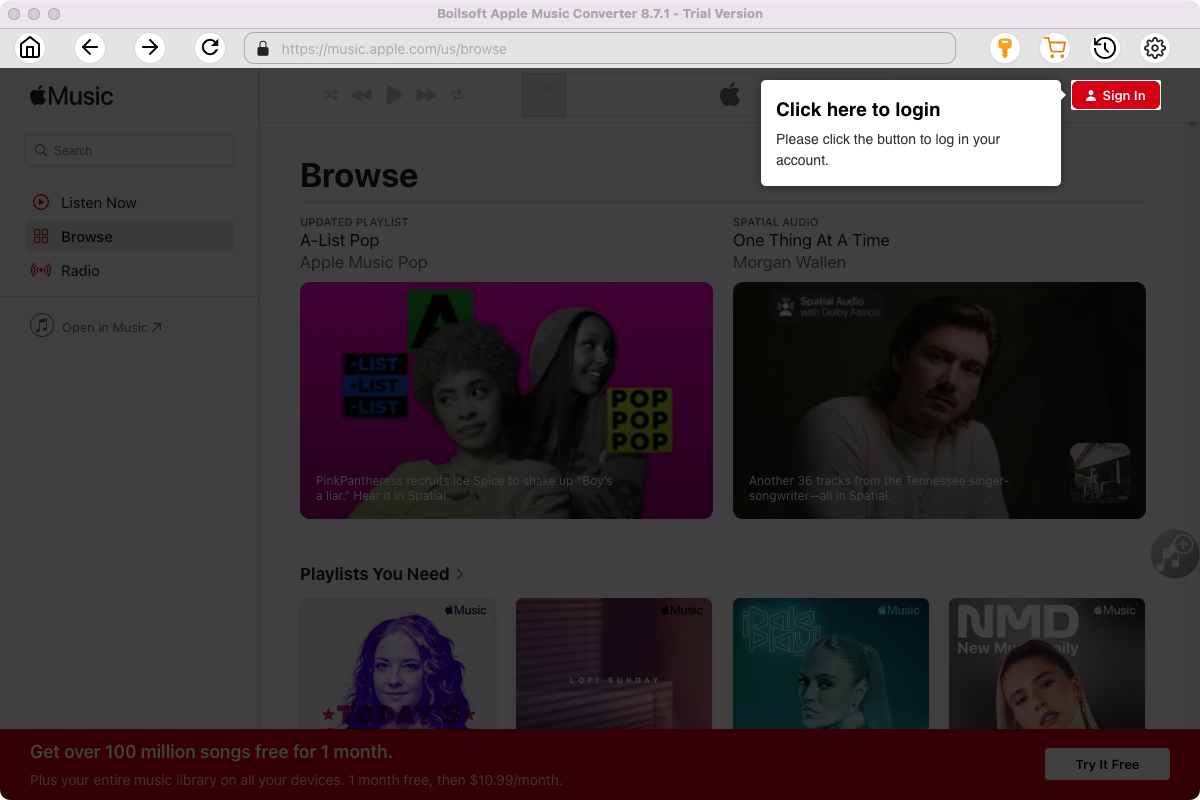
Click the key icon on the top right corner to register the tool if you have purchased the license. If not, go ahead with the free trial version.
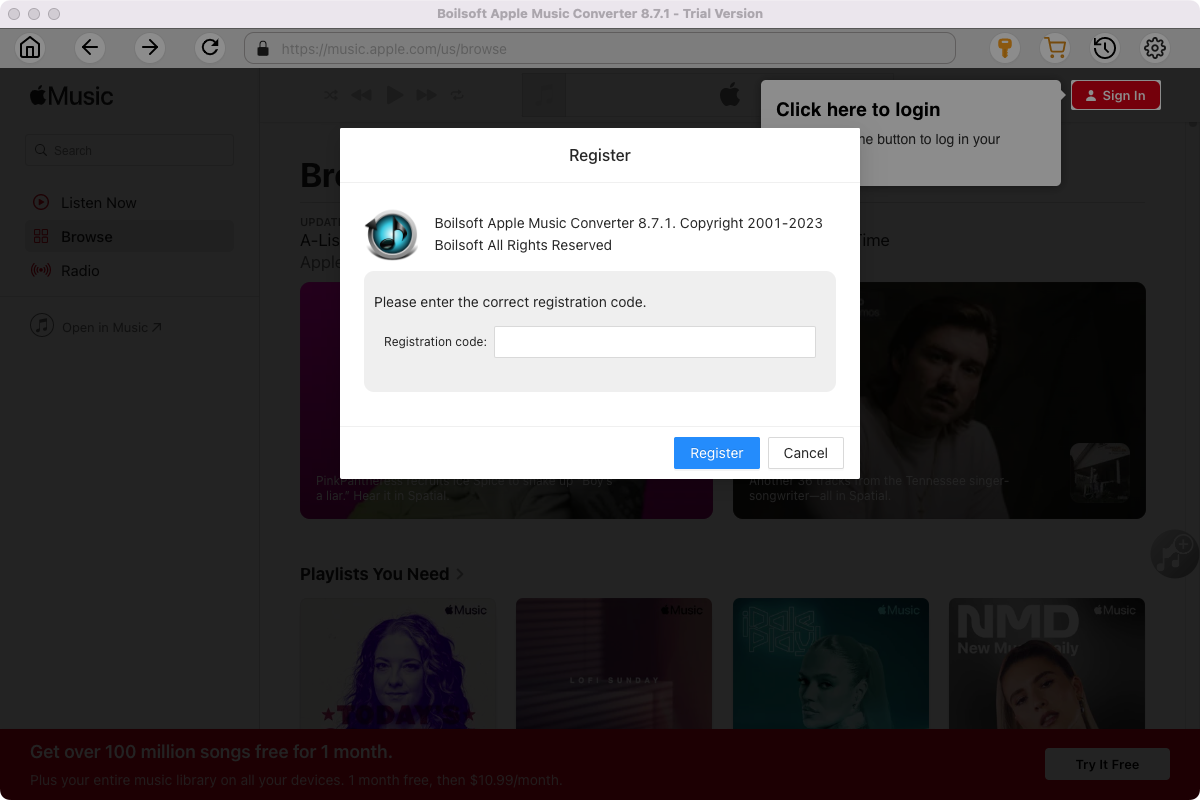
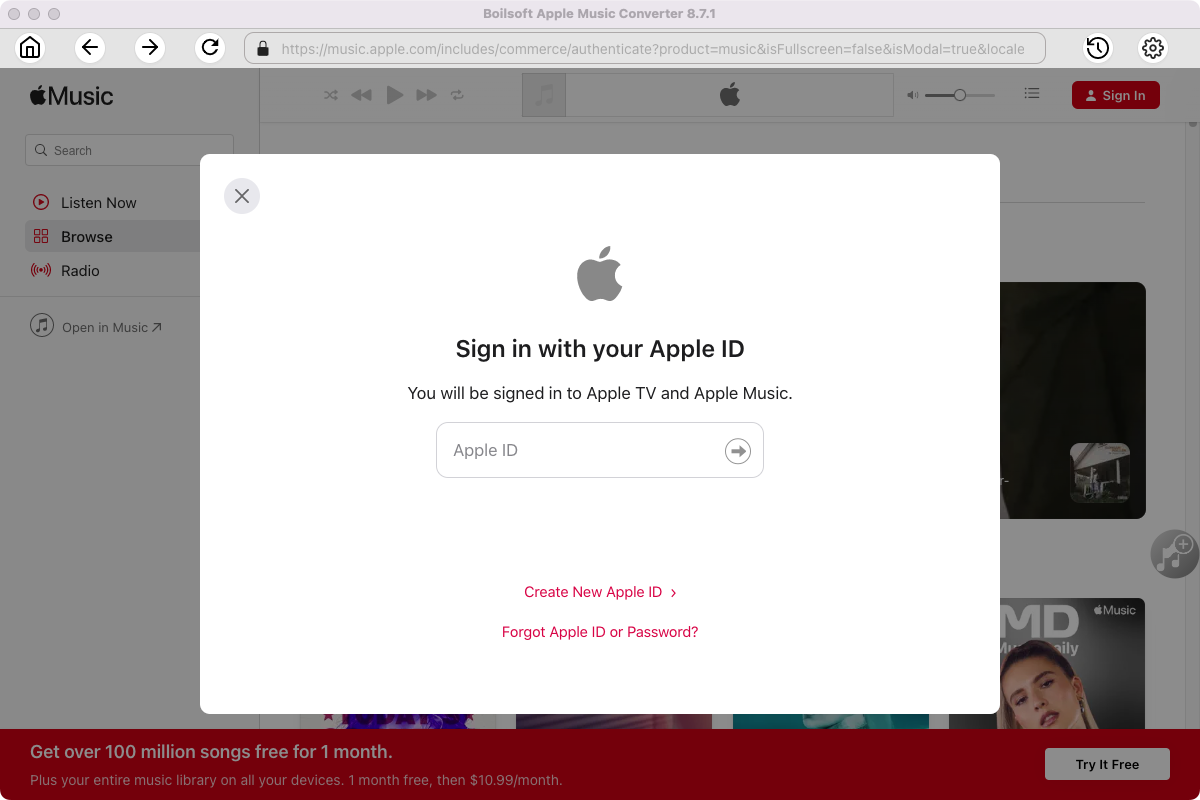
Click Sign in and log in your Apple ID.
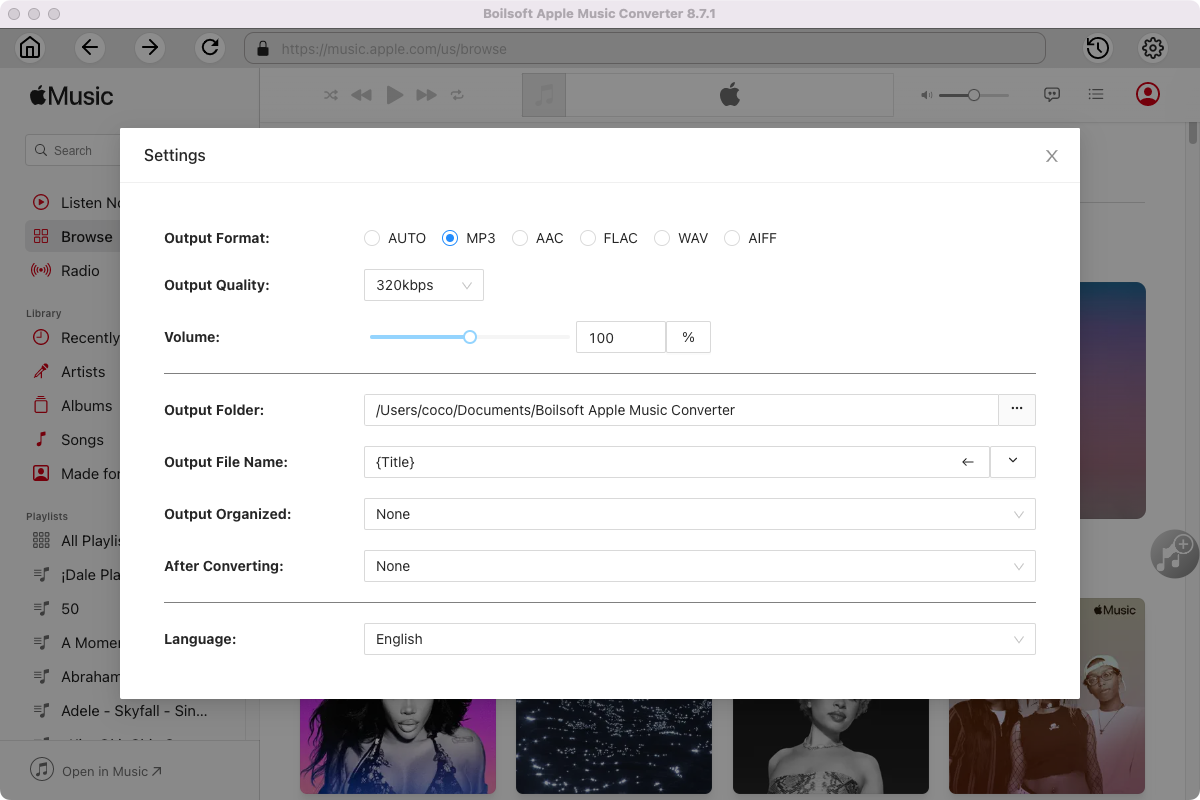
Step 2 Choose output format
The default format is M4A, click the gear button on the top right corner and choose FLAC format.
You can also set music quality, volume, output folder, output file name, etc.
Step 3 Add Apple Music songs, albums, playlists or artists
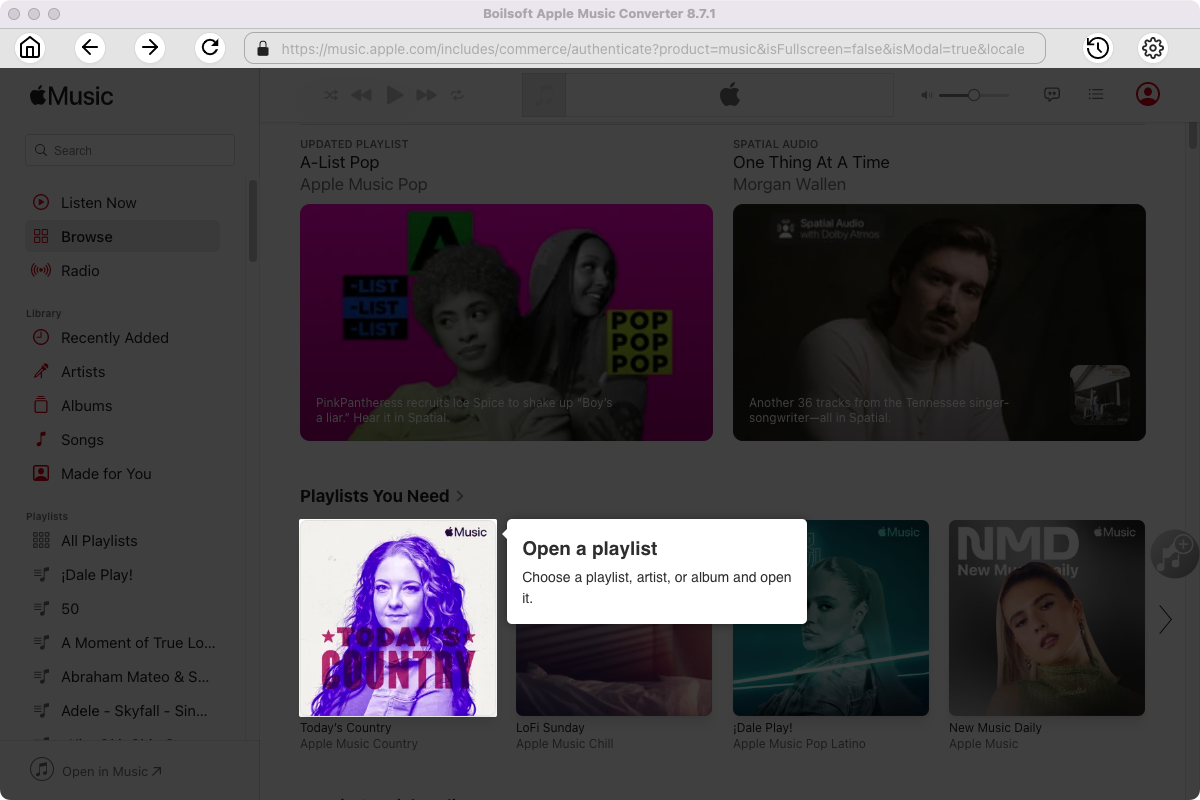
Follow the on-screen instructions to open a playlist or album.
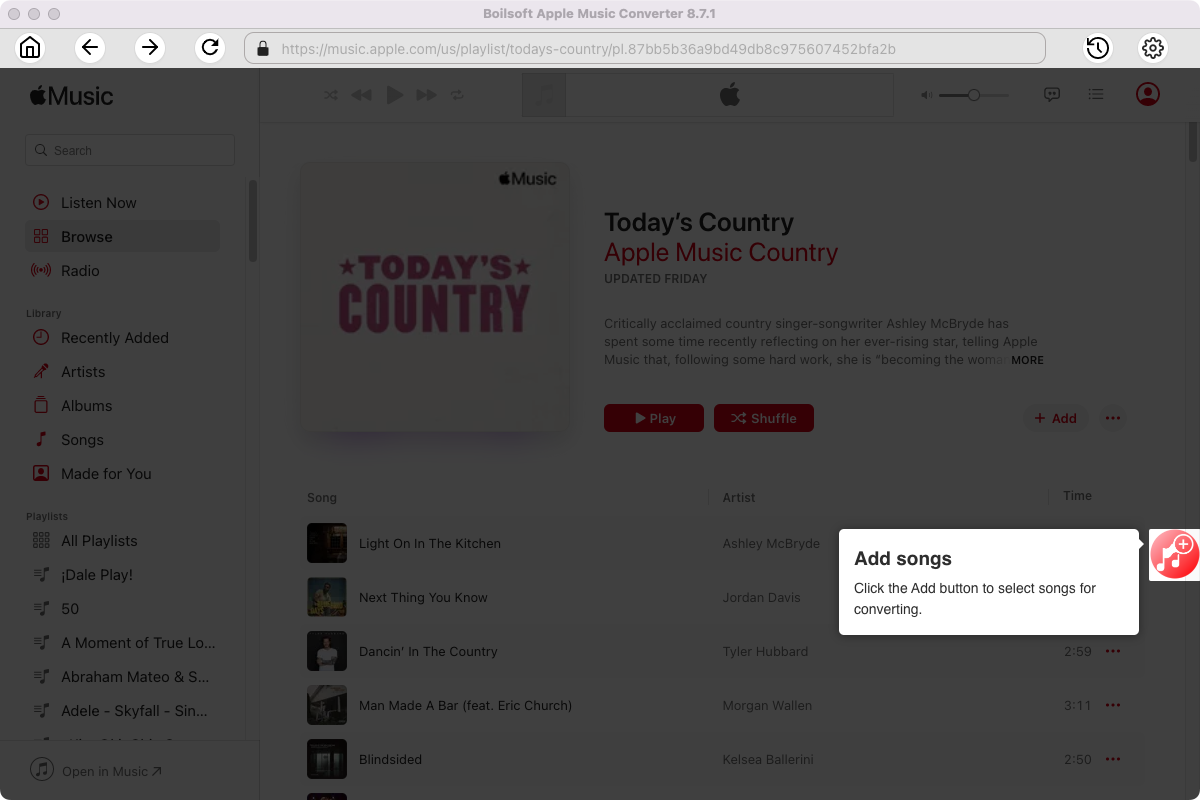
Click Add songs to load all songs in the album or playlist.
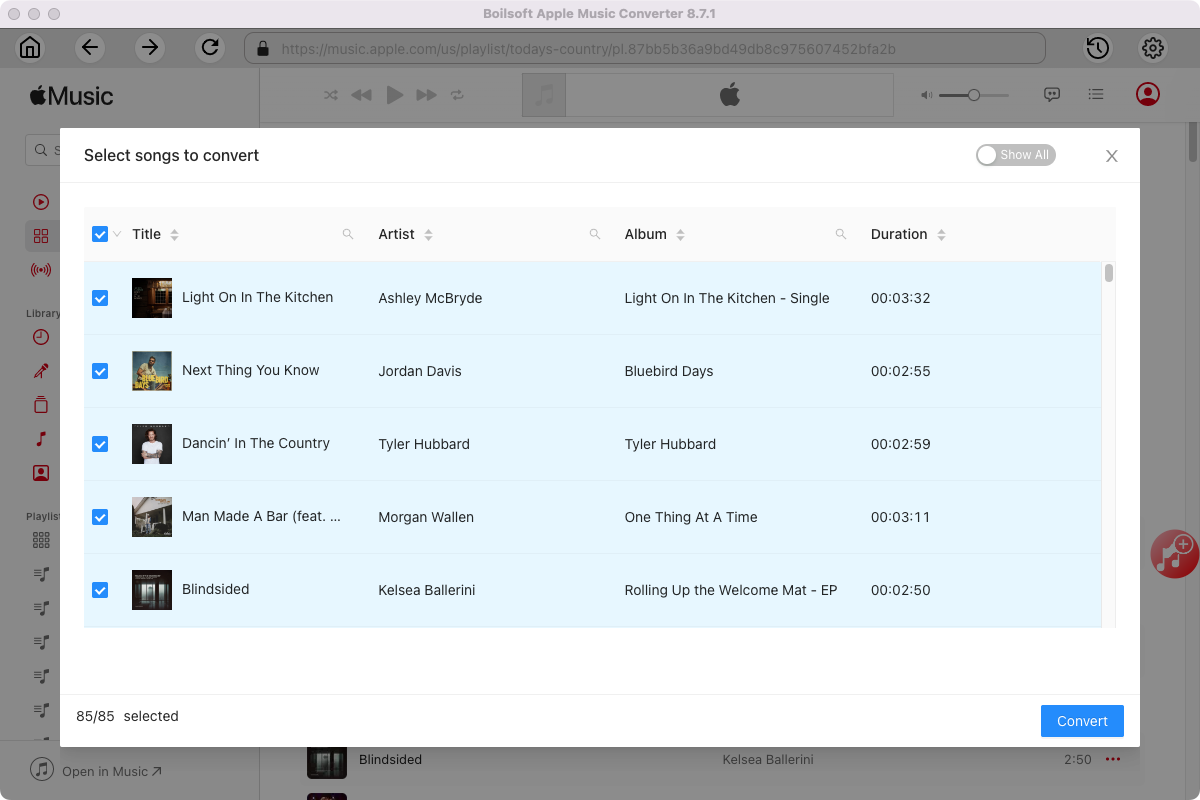
Step 4 Start to convert Apple Music songs
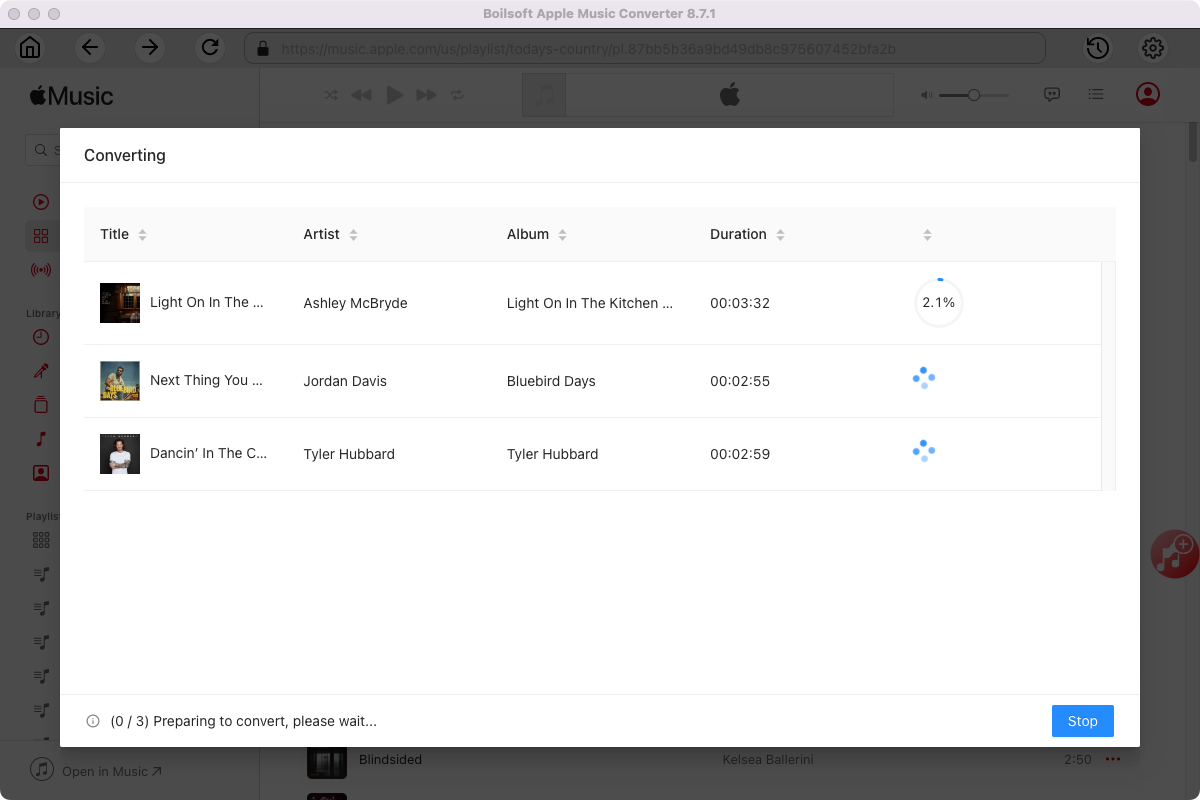
Click Convert icon to start converting Apple Music to FLAC.
After conversion, you will get the drm-free music in plain formats and play them anywhere you want without any limitations.
5. Benefits of downloading Apple Music to FLAC
Converting Apple Music to FLAC is the best choice for users who want to preserve the highest possible audio quality. Here are the key benefits:
1. True Lossless Audio Quality
FLAC (a lossless audio codec) preserves the original sound quality in its entirety without any loss of quality. Unlike MP3, which compresses audio, FLAC accurately reproduces every detail of the music, fully reflecting the artist’s original intent.
2. Ideal for Audiophiles
If you use high-end headphones, speakers, or a digital-to-analog converter (DAC), the FLAC format allows you to experience a richer, more nuanced sound that compressed formats simply cannot match.
3. Perfect for Music Collection
FLAC is a format widely used for music archiving. By converting Apple Music to FLAC, you can build a high-quality music library while preserving the integrity of the original audio.
4. Better for Audio Editing
Lossless FLAC files are better suited for editing, mixing, or converting to other formats without causing any further loss of sound quality.
6. FLAC vs MP3: Which Is Better?
When converting Apple Music, choosing the right audio format is important. MP3 and FLAC are the two most popular options but with significant differences.
MP3 is a compressed audio format that reduces file size while maintaining good sound quality. This format is widely supported by almost all devices, including smartphones, MP3 players, and car audio systems.
FLAC (Free Lossless Audio Codec) is a lossless format that fully preserves the original sound quality without any loss due to compression. However, FLAC files are large, and not all devices support this format.
For most users, MP3 is the best choice due to its balance of quality, file size, and compatibility.
If you’re an audiophile or want the original sound quality, FLAC is the better option.
Related: How to download Apple Music to MP3?
7. FAQs
Can I download Apple Music to FLAC for free?
Yes, some free methods are available, but they often come with limitations such as lower quality or slower speed.
Does FLAC sound better than MP3?
Yes, FLAC is a lossless format and preserves the original audio quality, while MP3 is compressed.
Is FLAC supported on all devices?
No, some devices may not support FLAC.MP3 is more compatible.
Can I convert entire playlists to FLAC?
Yes, Boilsoft Apple Music Converter supports batch conversion of playlists and albums.
Useful Tips : Movies and TV shows purchased from iTunes Store are also DRM-protected. If you want to remove DRM from iTunes movies and TV shows and convert them to MP4, try this iTunes Video DRM removal software - iTunes DRM Media Converter .
Read More
Tutorials


Copyright © 2023 Boilsoft Systems International Inc. All rights reserved.